So this week we did a playtest with our fellow classmates.
We have let people playtest our game/platform before but this time we tried it the professional way taught to us by our professor.
And here, we have an action shot of our friend Graham from class playing our game. As you can see, he was washing his hands in the make-believe sink we cobbled together to show our concept.
During this playtest we stood and watched our playtester's moves while they played the game. Even though our game is a short one, that made it almost more important to get our users' experiences while they played.
When making notes on the playtest we refrained from giving hints or telling the user what to do. We wanted to see if they could handle the game on their own which is our goal.
I made many random notes about each user; did they understand the mechanic to running? Did they notice the timer in the top middle of the screen? Did they win or lose? Did it require too much work to play the game?
All of these observations helped a lot in assessing whether our game/platform was on the right track!
After the playtesters were done we had them fill out a short playtest survey to get even more information out of their experiences. We made it a one page survey to make it a stress free experience for the users as well.
Here's a snapshot of our survey! We used Google Docs to create it. After they completed the survey it was sent directly to a spreadsheet for a summation of the answers. Google Docs for the win!
And there you have it! We'll see you on the flip!
Tuesday, January 21, 2014
Thursday, January 16, 2014
Things to do!
It's our second quarter of Senior year and we have exciting things in store!
Below you will see the sprint document we created showing everything we plan to accomplish in 10 weeks.
Basically we had to sit down and think of what was most important to finish and when.
We decided that our top priorities are to finish the second video game and the physical installation/platform.
Though our concept of playing video games via bathroom sinks is our main priority, we still need a shiny video game to get the idea across. Also we've been using a large plastic container to house the camera which has worked fine but hasn't given play testers the full bathroom experience we wanted.
And due to the growing need for data in various forms, we have decided to add a data visualization component to our platform. Essentially it will tell us how many people have been washing their hands, who didn't, and more numbers. This is an appealing feature that we are excited to work on!
Stay tuned to see our platform grow!
Tuesday, December 10, 2013
Where we are now! Crazy update!
Hey guys, it's Matt! I thought I'd fill you in on the changes that were made after last quarter... There were quite a few all around!
We've re-assembled our team! Josh and I have taken over full responsibility of the project as Sarah and Brice have moved onto projects of their own. Sarah has decided to take on a brand new project which we will be waiting to hear about! Brice is focusing more on his other team that he had been working with throughout our first quarter. With our Physical Computing Director and Art Director gone, we've had to appoint new responsibilities for each other. Unfortunately though, neither of us create character art or animations!
Of course this meant we would need to find someone to develop to art for our games, but that didn't mean we needed a full-time member on our squad. Therefore over the break we asked our colleagues for help and fortunately we found Alice Savell. Having previously seen her art style, Josh recommended that we give her a shot. It paid off:
On top of that, we've also been considering a completely new feature: Data Visualization. We want to record how many people enter the bathroom, how many people wash their hands, how many people complete the game, and so on. This will give us very interesting statics all running in the background of our game for people to later analyze. How many people do you think wash their hands after using the restroom?
Though this coming quarter looks slightly more daunting with the workload, we are still overly enthusiastic and have a plan to make the most unique interactive experience yet!
We've re-assembled our team! Josh and I have taken over full responsibility of the project as Sarah and Brice have moved onto projects of their own. Sarah has decided to take on a brand new project which we will be waiting to hear about! Brice is focusing more on his other team that he had been working with throughout our first quarter. With our Physical Computing Director and Art Director gone, we've had to appoint new responsibilities for each other. Unfortunately though, neither of us create character art or animations!
Of course this meant we would need to find someone to develop to art for our games, but that didn't mean we needed a full-time member on our squad. Therefore over the break we asked our colleagues for help and fortunately we found Alice Savell. Having previously seen her art style, Josh recommended that we give her a shot. It paid off:
On top of that, we've also been considering a completely new feature: Data Visualization. We want to record how many people enter the bathroom, how many people wash their hands, how many people complete the game, and so on. This will give us very interesting statics all running in the background of our game for people to later analyze. How many people do you think wash their hands after using the restroom?
Though this coming quarter looks slightly more daunting with the workload, we are still overly enthusiastic and have a plan to make the most unique interactive experience yet!
Tuesday, November 19, 2013
The man behind the curtain (Programming)
Matt kicked ass on this project with all the coding he did. Here to join you now is Matt Bone, master processing genius...
Hey guys, here's the scoop on the programming bit from start to finish! Firstly, I'm by no means a programmer (though I thank you for the encouragement, Josh.) From the beginning our four person team lacked a standard programmer, but we all had some experience with Javascript from a previous class we've all taken under the ITGM curriculum. This class used OpenProcessing, so we began our tests using that.
As our game ideas developed, we realized how simply they could be made. Without any reason to move to another program to run the game, I kept building on what was becoming our Alpha. Though I hadn't realized it yet, my methods for creating our game were inadequate for what a professional team should do--as well as inadequate for the class; I wasn't keeping any organized method for documenting my process.
There are several explanations why this occurred, but I'd rather focus on how we're going to manage the programming portion from now on. We will be starting our next quarter with our Alpha build. Following this build, there will be version updates for every bug fix, feature addition, and code clean-up. On the first tab of each OpenProcessing Sketch, there will be a version name and number with a description of the changes made since the previous version.
I hope you enjoy it!
Hey guys, here's the scoop on the programming bit from start to finish! Firstly, I'm by no means a programmer (though I thank you for the encouragement, Josh.) From the beginning our four person team lacked a standard programmer, but we all had some experience with Javascript from a previous class we've all taken under the ITGM curriculum. This class used OpenProcessing, so we began our tests using that.
As our game ideas developed, we realized how simply they could be made. Without any reason to move to another program to run the game, I kept building on what was becoming our Alpha. Though I hadn't realized it yet, my methods for creating our game were inadequate for what a professional team should do--as well as inadequate for the class; I wasn't keeping any organized method for documenting my process.
There are several explanations why this occurred, but I'd rather focus on how we're going to manage the programming portion from now on. We will be starting our next quarter with our Alpha build. Following this build, there will be version updates for every bug fix, feature addition, and code clean-up. On the first tab of each OpenProcessing Sketch, there will be a version name and number with a description of the changes made since the previous version.
I hope you enjoy it!
Thursday, November 14, 2013
The Artsy Timeline
So the art for the game was left up to Brice and Josh. Brice handled the game level art and concepts while Josh designed the Interface and Platform art.
Brice concepted many different ideas over the course of building the game, here are a few of those concepts:


Some of these ideas were used, some weren't (fat baby) but all of the concepts helped a lot with our overall art direction.
Josh worked on more technical graphics and interface ideas and came up with the overall platform art and design:
So there you have it! Some of the awesome art and design implemented into the game. Soon you will get a look into the coding behind it all!
Brice concepted many different ideas over the course of building the game, here are a few of those concepts:


Some of these ideas were used, some weren't (fat baby) but all of the concepts helped a lot with our overall art direction.
Josh worked on more technical graphics and interface ideas and came up with the overall platform art and design:
So there you have it! Some of the awesome art and design implemented into the game. Soon you will get a look into the coding behind it all!
Saturday, November 9, 2013
Cameras and Sensors and Rabbits, oh my!
As previously mentioned, Run! is the game we are focusing on for now.
For this game we needed to find a sensor that worked well with our mechanics, meaning that it could basically detect and measure the motion that users' hands give off, take those fluctuations and then change the speed of our character within the game based on those numbers.
At the beginning of the quarter we were introduced to Leap Motion by our professor.
Sarah vigorously tested the Leap Motion over the course of the first two weeks. With little result, we contacted an alumni of SCAD that works with that company currently and found that sadly, the Leap Motion could not be used for our needs.
Sarah then started testing IR sensors with the arduino microprocessor.
This was also not what we needed because it basically detected motion or no motion, on or off. And because what we need is more complicated than on and off, we marked this sensor off the list.
Also, the radius the IR sensor detected was a bit too large and didn't fit with the sink installation we envisioned for it's use.
But in the end, we found the proper sensor!
Believe it or not, a webcam was all we needed. We stumbled upon a webpage that had an example of what a webcam could do.
Viewing the example:
Because the game is programmed using the Processing language, you must first download processing to run the program.
Visit processing.org to download it, it only takes a minute or two to download!
Once you've downloaded it, click on the image to the left and copy the code from the webpage and paste it into your processing window. Make sure you have a webcam hooked up and hit the play button!
When the program is run, the webcam viewport is displayed with an ellipse at its center. Every time motion is produced, the ellipse changes size. Once we saw this, we knew we could use it. The fact that it detected different levels of motion meant that in our minds, different levels of speed could be produced for our rabbit! Hells yes.
More updates to come!
For this game we needed to find a sensor that worked well with our mechanics, meaning that it could basically detect and measure the motion that users' hands give off, take those fluctuations and then change the speed of our character within the game based on those numbers.
At the beginning of the quarter we were introduced to Leap Motion by our professor.

Sarah vigorously tested the Leap Motion over the course of the first two weeks. With little result, we contacted an alumni of SCAD that works with that company currently and found that sadly, the Leap Motion could not be used for our needs.
Sarah then started testing IR sensors with the arduino microprocessor.
This was also not what we needed because it basically detected motion or no motion, on or off. And because what we need is more complicated than on and off, we marked this sensor off the list.
Also, the radius the IR sensor detected was a bit too large and didn't fit with the sink installation we envisioned for it's use.
But in the end, we found the proper sensor!
Believe it or not, a webcam was all we needed. We stumbled upon a webpage that had an example of what a webcam could do.
Viewing the example:
Because the game is programmed using the Processing language, you must first download processing to run the program.
Visit processing.org to download it, it only takes a minute or two to download!
Once you've downloaded it, click on the image to the left and copy the code from the webpage and paste it into your processing window. Make sure you have a webcam hooked up and hit the play button!
When the program is run, the webcam viewport is displayed with an ellipse at its center. Every time motion is produced, the ellipse changes size. Once we saw this, we knew we could use it. The fact that it detected different levels of motion meant that in our minds, different levels of speed could be produced for our rabbit! Hells yes.
More updates to come!
Saturday, November 2, 2013
Game Ideas!
So by now, we've went through various game ideas. I will share some!
Our first idea was going to be the original idea of "Wash your hands, save the princess."
The game would involve the user washing his/her hands to control a rope in the game that pulls the princess upward at a speed controlled by the motion produced, saving her from the antagonist at the bottom of the screen. We scrapped the narrative behind this idea but we still think that the mechanics of it have promise and we plan on making a game like this in the future!
Another idea, with simplicity in mind, was to make a simple puzzle game such as a labyrinth.
The idea was to wash your hands normally but to slightly adjust your hand position from left to right within the sink to tilt the labyrinth, guiding the ball to the bottom of it to win the game. This idea was an interesting one but it was missing something and seemed somewhat bland.
We even thought of the idea to make it a mouse running through a maze to find the cheese treasure at the end. This was moving into a more interesting direction but was still missing something.
After getting input from classmates and our professor, we decided we were missing some excitement from our game ideas and possibly the relevance to them.
Thus, Run! was born!
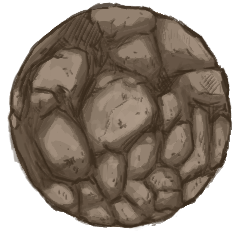
The goal in Run! is to escape an enemy that's chasing you across the screen. We've decided to make the main character a rabbit that is running from a huge bolder quickly gaining on him. To escape the boulder, the user must wash their hands quickly to make the rabbit run faster and faster! If the user doesn't wash their hands fast enough the rabbit slows down to a jog and the boulder comes that much closer to getting him!
Our first idea was going to be the original idea of "Wash your hands, save the princess."
The game would involve the user washing his/her hands to control a rope in the game that pulls the princess upward at a speed controlled by the motion produced, saving her from the antagonist at the bottom of the screen. We scrapped the narrative behind this idea but we still think that the mechanics of it have promise and we plan on making a game like this in the future!
Another idea, with simplicity in mind, was to make a simple puzzle game such as a labyrinth.
Wireframe mock-up
The idea was to wash your hands normally but to slightly adjust your hand position from left to right within the sink to tilt the labyrinth, guiding the ball to the bottom of it to win the game. This idea was an interesting one but it was missing something and seemed somewhat bland.
We even thought of the idea to make it a mouse running through a maze to find the cheese treasure at the end. This was moving into a more interesting direction but was still missing something.
After getting input from classmates and our professor, we decided we were missing some excitement from our game ideas and possibly the relevance to them.
Thus, Run! was born!
The goal in Run! is to escape an enemy that's chasing you across the screen. We've decided to make the main character a rabbit that is running from a huge bolder quickly gaining on him. To escape the boulder, the user must wash their hands quickly to make the rabbit run faster and faster! If the user doesn't wash their hands fast enough the rabbit slows down to a jog and the boulder comes that much closer to getting him!
We think that when compared to a puzzle game, this game idea is way more exciting and graphically pleasing. Escaping and enemy also adds to the excitement giving the player a sense of duty, to save the poor rabbit from a horrible end.
There was also much thought about the rabbit being the main character. We wanted to make the game appeal to both male and female players as those are the two main types of bathrooms. In our minds, making the character a rabbit will allow both genders to enjoy the game equally as opposed to making the character a man or woman. Yay for unisex rabbit!
This is now the game we are focusing on and will update you with in the future posts.
Subscribe to:
Posts (Atom)